Quick answer: 1.0.0.0.1 is a mistyped address. The Piso WiFi portal you are looking for lives at 10.0.0.1 (four numbers, not five). Connect to the vendo Wi-Fi, turn off mobile data, then type 10.0.0.1 in the address bar. Vendo owners use 10.0.0.1/admin.
1.0.0.0.1 is one of the most searched addresses in the Philippines, but it does not work because it has one number too many. What people actually want is 10.0.0.1, the local page where Piso WiFi customers insert coins, check their remaining time and pause their session. This guide shows the right address, the exact steps for customers and owners, and quick fixes when the page refuses to load.
Everything below is written for phones first, because that is how most Piso WiFi users connect. If you only need one thing, jump straight to pause time, the customer portal guide or the owner admin login.
What Is 1.0.0.0.1 and Why Won’t It Open?
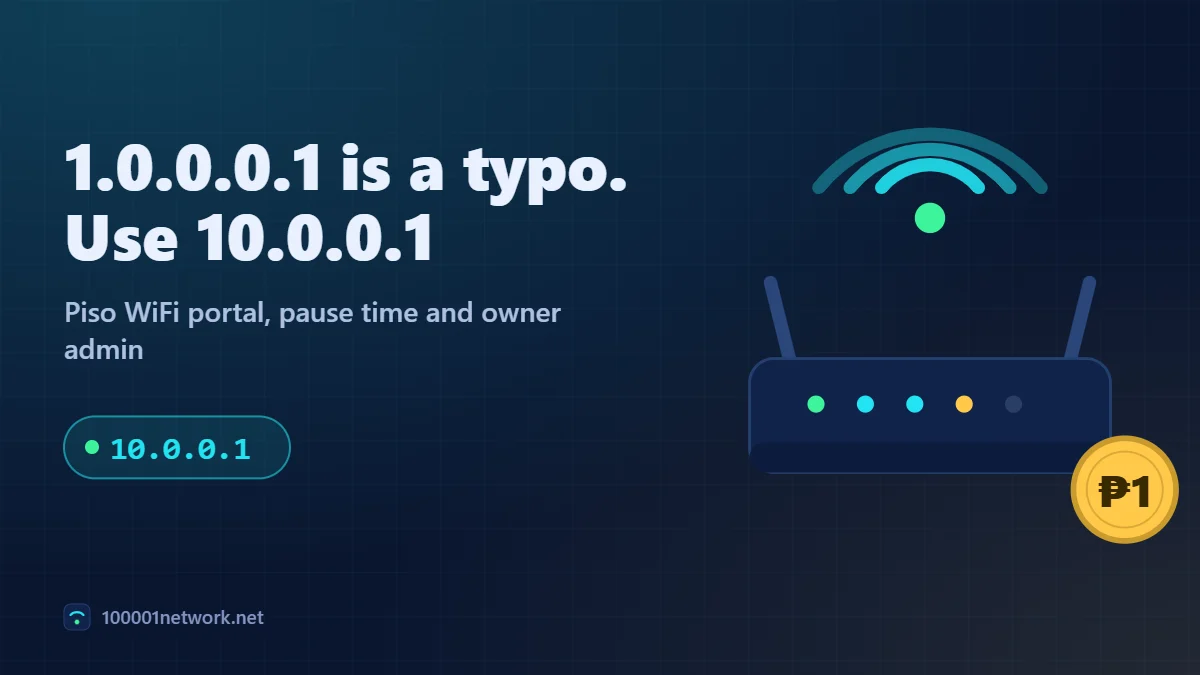
An IPv4 address, the kind your phone uses on Wi-Fi, always has exactly four numbers separated by three dots. 1.0.0.0.1 has five numbers, so your browser does not see it as an address at all. Most phones quietly turn it into a Google search instead, which is why you end up on a results page rather than the Piso WiFi screen.
The address the vendo really uses is 10.0.0.1. It belongs to a block of private addresses (10.0.0.0 to 10.255.255.255) that routers and vendo machines use inside a local network. The rules for that block are set out in RFC 1918. Because it is private, 10.0.0.1 only opens while your phone is connected to that vendo’s Wi-Fi.
So the 1.0.0.0.1 search is simply a typing slip. Some people add an extra zero, others press the dot key twice, and some copy a wrong address from a sign or a video. The fix is always the same: type the four-number version and make sure you are on the right network.
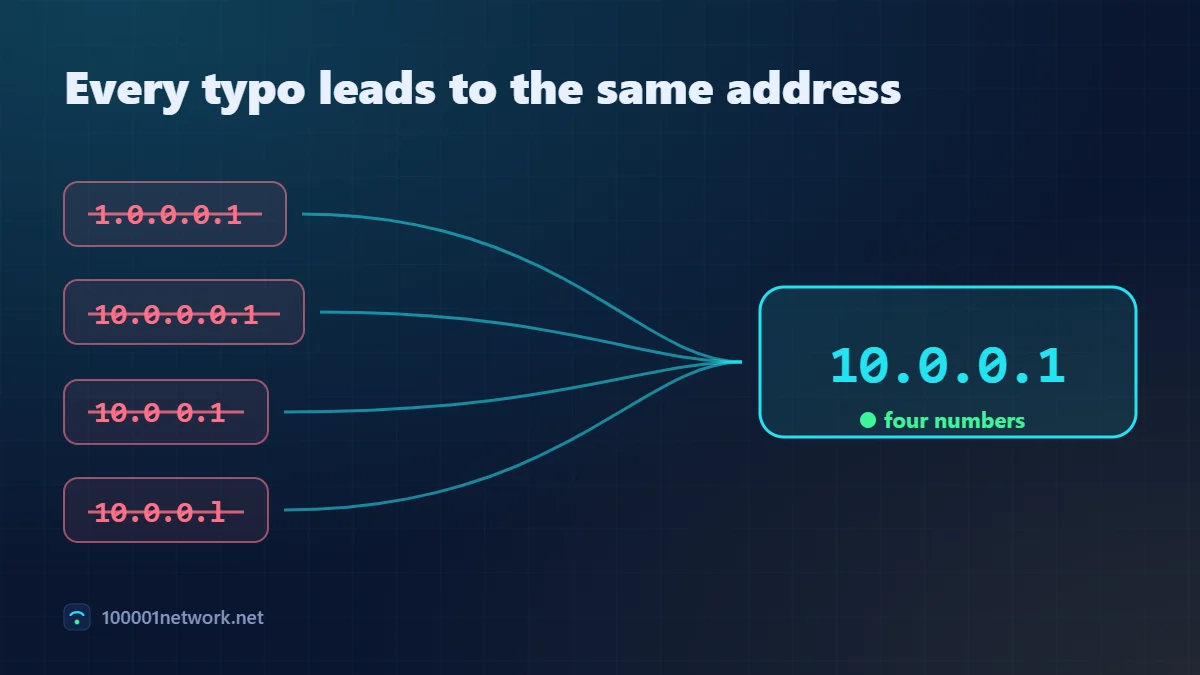
1.0.0.0.1 vs 10.0.0.0.1 vs 10.0 0.1: What Each Typo Does
| What you typed | What happens | What to type instead |
|---|---|---|
| 1.0.0.0.1 | Five numbers, so the browser runs a web search | 10.0.0.1 |
| 10.0.0.0.1 | Also five numbers, also turns into a search | 10.0.0.1 |
| 10.0 0.1 | The space splits it into two words | 10.0.0.1 |
| 10.0.0.l or 10.0.0.i | A letter instead of the number one | 10.0.0.1 |
| 1.0.0.1 | Opens a public DNS service, not your vendo | 10.0.0.1 |
| 100001 or 10001 | No dots at all, treated as a search | 10.0.0.1 |
Use the Address Bar, Not the Search Box
Type the address at the very top of the browser, where website links appear, and not inside the Google search box on a new tab page. If the browser keeps adding https, type http://10.0.0.1 in full. Most vendo portals use plain http on the local network, and a forced https version can show an error.
How to Open the 10.0.0.1 Piso WiFi Portal (Customers)
If you typed 1.0.0.0.1 because you wanted to buy internet time, this is the section for you. The customer portal is a small web page served by the vendo itself. It shows your remaining time, the rates and the buttons for inserting coins or pausing. Follow these steps in order.
- Open your phone’s Wi-Fi settings and join the vendo network, often named after the shop or the word “Piso”.
- Wait a few seconds for a “Sign in to network” notice. Tap it and the portal opens by itself.
- If nothing pops up, turn off mobile data, open Chrome or Safari and type
10.0.0.1in the address bar. - Tap Insert Coin (some machines say Insert Money), drop your coins into the slot, then tap Done Paying.
- Wait for the status to change to Connected and the timer to start counting down.
The pop-up comes from a feature called a captive portal, the same thing hotels and cafes use. Phones sometimes skip it, especially if they already remember the network. Typing the address yourself always works as long as you are connected to the vendo and not to mobile data.
Insert Coins, Use a Voucher or Pay by E-Wallet
Coins are the classic way to pay, but many machines now accept more. Owners can switch on vouchers, which are short codes you type into the portal, and some systems support GCash or Maya. What you see depends entirely on how the owner set up their vendo, so do not worry if your portal shows fewer options than a friend’s.
- Coins: tap Insert Coin first, then drop the coins within the countdown, then tap Done Paying.
- Voucher: type the code exactly as printed, including dashes, and tap the button beside it.
- E-wallet: only appears when the owner enabled it; follow the on-screen steps.
- Extend: repeat the same steps before your time runs out to add more minutes.
Reading Your Client Dashboard
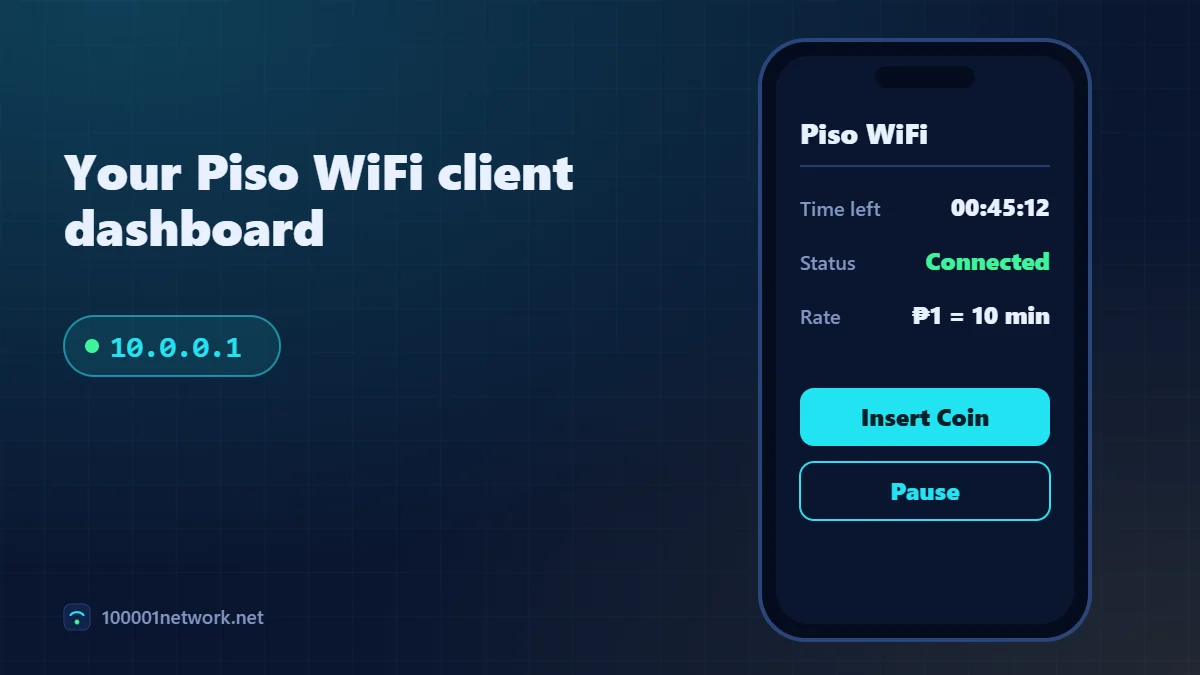
Once you are connected, the portal turns into a simple dashboard. Knowing what each part means saves you from wasted coins and from pressing the wrong button. Our 10.0.0.1 Piso WiFi portal guide explains every button in detail, and the table below covers the essentials.
| Portal element | What it means | Tip |
|---|---|---|
| Time remaining | Minutes left on your session | Check it before a long download |
| Status | Connected, paused or disconnected | Paused means your time is frozen |
| Rates | How many minutes each coin buys | Rates are set by the owner |
| Insert Coin | Opens the coin slot for a short window | Drop coins only after tapping it |
| Pause / Resume | Freezes or restarts your timer | Resume on the same phone |
| Voucher code | Box for prepaid codes | Codes are usually single use |
1.0.0.0.1 Piso WiFi Pause Time: How to Pause and Resume
Pause time is the feature most people are really after when they search 1.0.0.0.1 piso wifi pause. It lets you freeze the minutes you already paid for, leave, and continue later without losing them. It is not a speed setting and it is not the owner blocking the network. It simply stops your countdown until you press Resume.
How to Pause Your Remaining Time
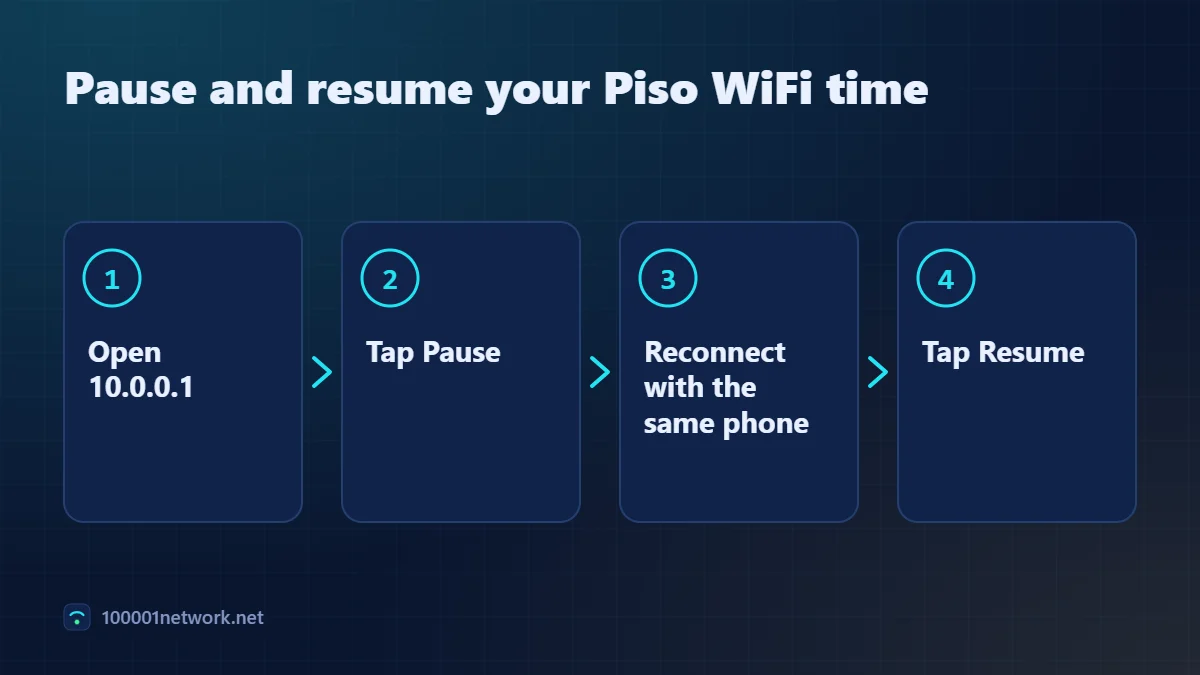
- Stay connected to the vendo Wi-Fi and open
10.0.0.1in your browser. - Check that your status says Connected and that you still have time left.
- Tap Pause (some portals call it Pause Time). The status should change to Paused.
- You can now leave the area or turn off Wi-Fi. Your remaining minutes stay saved on the vendo.
How to Resume, and Why Paused Time Sometimes Disappears
To continue, reconnect to the same vendo network with the same phone, open the portal again and tap Resume. The vendo recognises your device by its network identity, so switching to another phone usually will not work. If your time is gone, one of a few common causes is almost always to blame.
- Expiry: owners can set paused time to expire after a period, often a day.
- Pause limit: some systems allow only a set number of pauses or a maximum pause length.
- Private MAC address: newer phones may present a new identity when they rejoin, so the vendo no longer recognises them.
- Different device: paused time is tied to the phone that paused it.
- Pause turned off: if there is no Pause button, the owner disabled the feature.
Keep your time safe: before pausing, turn off “Private Wi-Fi Address” (iPhone) or set “MAC address type” to “Phone MAC” (Android) for the vendo network only. Menu names vary by phone, but the setting is inside that network’s details. Our 10.0.0.1 Piso WiFi pause time guide walks through it.
Pause Rules by System
Each vendo software handles pause in its own way, and owners can change most of the limits. Treat the table below as a general guide rather than a promise, because versions and settings differ from shop to shop.
| System | How pause is usually limited | Who controls it |
|---|---|---|
| LPB Piso WiFi | Maximum pause length, set in portal settings | Vendo owner |
| AdoPiSoft | Number of pauses allowed per session | Vendo owner |
| Wifi5 Soft | Pause limit attached to rates or vouchers | Vendo owner |
1.0.0.0.1/admin: How Owners Log In to 10.0.0.1/admin
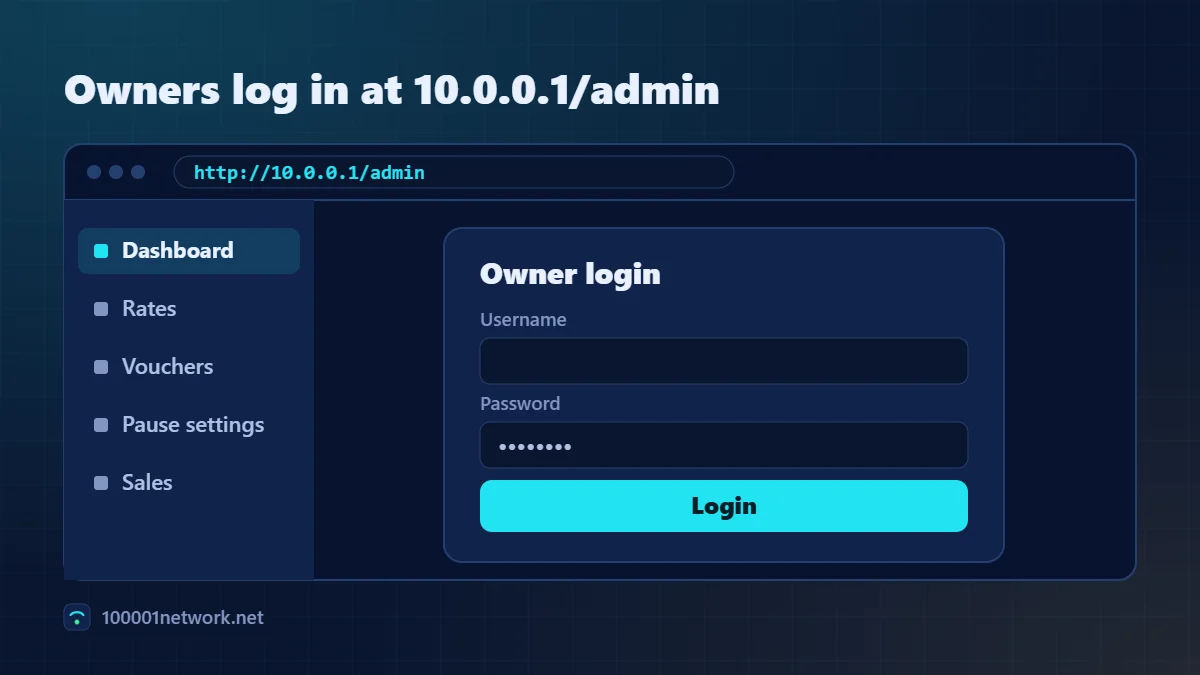
If you own or manage the machine, the page you want is not the customer portal. Owners searching 1.0.0.0.1/admin are looking for the admin panel, which sits at 10.0.0.1/admin on most popular vendo systems. That is where you change rates, create vouchers, adjust pause rules and read your sales. Our full 10.0.0.1 admin login guide covers each system in depth.
Step-by-Step Admin Login
- Connect to the vendo Wi-Fi, or plug a laptop into the vendo with a LAN cable for a steadier link.
- Turn off mobile data and any VPN so your phone stays on the local network.
- Type
http://10.0.0.1/adminin the address bar. - Enter the admin username and password, then tap Login.
- Change the default password right away if this is a new machine.
Default Usernames and Passwords by Piso WiFi System
These are the logins most often reported for each platform. They only work if nobody has changed them, and they should be changed on day one. If you bought the machine from a reseller, the installer may have set a different password, so ask them first before trying a reset.
| System | Admin address | Commonly reported login | Notes |
|---|---|---|---|
| LPB Piso WiFi | 10.0.0.1/admin | admin / 123456789 | Widely reported for LPB OS builds |
| AdoPiSoft (older) | 10.0.0.1/admin | admin / admin | Newer builds may differ |
| Wifi5 Soft | 10.0.0.1/admin | Owner account sign-in | Reported as account based |
| Home router at 10.0.0.1 | 10.0.0.1 | Check the device label | Many print a unique password |
Only log in to equipment you own or manage. Using someone else’s admin panel without permission can get you banned from the network and may break the law. If you are a customer with a problem, talk to the owner instead.
What You Can Manage in the 10.0.0.1 Admin Panel
Once you are inside, the menu names differ a little between systems, but the core tools are the same. Most owners spend their time on rates, vouchers and the pause rules, and check sales at the end of the day. Here is what you will usually find.
- Rates: how many minutes each peso buys, plus promo bundles.
- Vouchers: printable codes with a set time, speed or validity.
- Pause settings: turn pause on or off and limit how long or how often.
- Speed limits: share bandwidth fairly between customers.
- Devices and bans: see who is connected and block abusers.
- Sales and logs: daily income and coin history.
- Licence: status and expiry of your vendo software.
If you are still choosing a system, our LPB Piso WiFi guide and Wifi5 Soft guide compare how each one handles these tools.
How to Change the Piso WiFi Name and Password
This is where many owners get confused. A Piso WiFi network is usually open, with no Wi-Fi password, because customers pay through the portal instead. The network name (SSID) is set either in the vendo admin panel or on the access point connected to the vendo, depending on your setup.
Your internet modem from PLDT, Globe, Converge or another provider is a separate device with its own address, often something like 192.168.1.1. Changing the modem’s Wi-Fi name will not rename your vendo network. Keep the two apart: the modem feeds internet to the vendo, and the vendo serves your customers.
10.0.0.1 Not Working? Fix It Fast
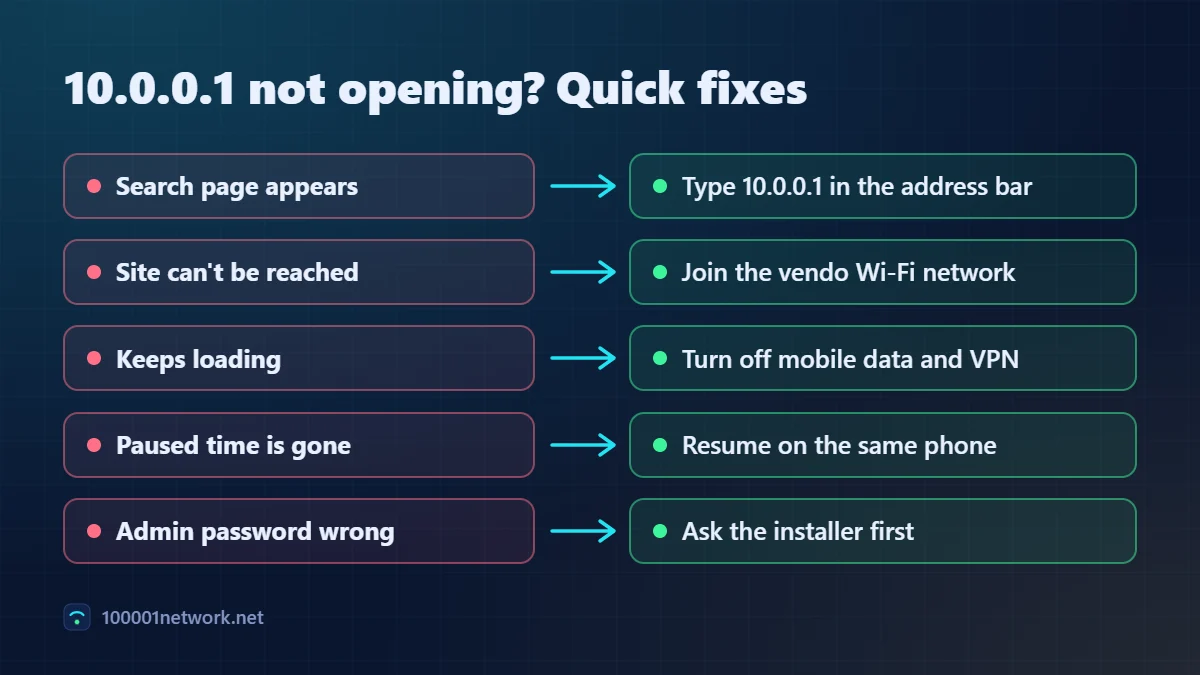
When 10.0.0.1 refuses to open, the cause is nearly always simple. Work through the table from the top, because the first rows fix most cases. If you reached this page by typing 1.0.0.0.1, correcting the address alone may already solve it.
| Symptom | Likely cause | Fix |
|---|---|---|
| Search results appear instead of the portal | Typo such as 1.0.0.0.1 | Type 10.0.0.1 in the address bar |
| Site can’t be reached | Not connected to the vendo Wi-Fi | Join the vendo network and retry |
| Page keeps loading | Mobile data or VPN is on | Turn off data, VPN and Private DNS |
| No sign-in pop-up | Phone remembered the network | Forget the network and join again |
| Coins inserted, no time | Coin not detected or timed out | Wait, then tell the owner |
| Admin password rejected | Password changed or wrong panel | Ask the installer before resetting |
The Portal Doesn’t Pop Up
Open any simple website that uses plain http, or just type 10.0.0.1 yourself. If that fails, go to Wi-Fi settings, tap “Forget” on the vendo network and join it again. Restarting Wi-Fi often triggers the sign-in notice, especially on phones that remembered an old session.
“This Site Can’t Be Reached” or Endless Loading
Your phone is probably trying to use mobile data, a VPN or Private DNS. Turn all three off while you use the portal, then try again. On Android, Private DNS sits under Network settings; set it to Off or Automatic. Also confirm the Wi-Fi name matches the vendo, not a neighbour’s network.
Paid but No Time Was Added
Do not keep feeding coins. Wait a minute and refresh the portal, since some machines take a moment to register payment. If the time still does not appear, note the time and amount and show the owner. Coin slots get dirty or jammed, and owners can usually check the coin log and add your minutes by hand.
Admin Password Rejected or Forgotten
Make sure you opened 10.0.0.1/admin and not the customer page, and that caps lock is off. Some systems lock you out for a while after several failed tries, so wait before trying again. A factory reset is the last resort, because it usually wipes your rates, vouchers and network name as well as the password.
Find Your Gateway If It Isn’t 10.0.0.1
Not every network uses 10.0.0.1. Some vendos and most home routers use addresses like 192.168.0.1 or 192.168.1.1. Your phone already knows the right one, because it is listed as the router or default gateway for the network you joined. Here is where to find it.
- Android: Settings, Wi-Fi, tap the connected network, then look for Gateway or Router.
- iPhone: Settings, Wi-Fi, tap the blue info icon, then read the Router line.
- Windows: open Command Prompt, type ipconfig and read Default Gateway.
- Mac: System Settings, Wi-Fi, Details, then TCP/IP and read Router.
If the gateway shows something other than 10.0.0.1, type that address instead. If it shows 10.0.0.10 or another nearby number, that is often your own phone’s address rather than the vendo, so double-check which line you are reading.
Popular Piso WiFi Systems in the Philippines
A Piso WiFi machine combines a coin slot, a small computer such as a Raspberry Pi or Orange Pi, vendo software and a Wi-Fi access point. The software decides how the portal looks and which features you get. These are the names you will meet most often, and you can learn how the whole Piso WiFi vendo fits together in our business guide.
| System | Known for | Customer page | Owner page |
|---|---|---|---|
| LPB Piso WiFi | Cloud features, pause, e-wallets, sub-vendos | 10.0.0.1 | 10.0.0.1/admin |
| AdoPiSoft | Long-running system with a cloud manager | 10.0.0.1 | 10.0.0.1/admin |
| Wifi5 Soft | Account-based owner dashboard, vouchers | 10.0.0.1 | 10.0.0.1/admin |
| Other builds | Custom or reseller setups | Usually 10.0.0.1 | Ask your installer |
Piso WiFi grew out of the coin-operated computer shops known as Pisonet. The idea is the same: small payments, no contract and instant access, which is exactly why these machines are now found in sari-sari stores, terminals and boarding houses across the country.
Is 10.0.0.1 Safe? Tips for Customers and Owners
The address itself is harmless. It is just the vendo talking to your phone on the local network, and nobody on the wider internet can reach it. The risks come from open public Wi-Fi in general and from owners who never change default passwords.
- Customers: avoid entering bank logins on shared networks, and prefer apps and sites that use https.
- Customers: never install apps that promise free or hacked Piso WiFi time.
- Owners: change the default admin password on day one and keep it private.
- Owners: keep the vendo software updated and check the connected devices list now and then.
Mabilis na gabay:
- Typo lang ang 1.0.0.0.1. Ang tamang address ay
10.0.0.1. - Kumonekta muna sa Wi-Fi ng vendo at i-off ang mobile data.
- Para mag-pause, buksan ang 10.0.0.1 at pindutin ang Pause. Mag-resume gamit ang parehong cellphone.
- Para sa may-ari ng vendo:
10.0.0.1/adminang login page.
FAQs About 1.0.0.0.1 and 10.0.0.1
What is 1.0.0.0.1?
1.0.0.0.1 is a common typo of 10.0.0.1, the address used by most Piso WiFi vendos. It has five numbers instead of four, so browsers cannot open it and usually run a search instead. Type 10.0.0.1 while connected to the vendo Wi-Fi.
Is the correct Piso WiFi address 10.0.0.1 or 10.0.0.0.1?
The correct address is 10.0.0.1. Both 10.0.0.0.1 and 1.0.0.0.1 have an extra number and will not load. If 10.0.0.1 also fails, check your Wi-Fi details for the gateway address your vendo actually uses.
How do I pause my Piso WiFi time with 1.0.0.0.1?
You cannot pause through 1.0.0.0.1 because that address does not exist. Open 10.0.0.1 instead, check that you are connected, and tap Pause. To continue later, reconnect with the same phone and tap Resume.
Why does 10.0.0.1 not open on my phone?
Usually your phone is not on the vendo Wi-Fi, or mobile data, a VPN or Private DNS is pulling traffic away. Turn those off, rejoin the vendo network and type the address in the address bar rather than the search box.
What is the 1.0.0.0.1/admin page?
People who type 1.0.0.0.1/admin are looking for the owner panel at 10.0.0.1/admin. It is meant for the vendo owner and asks for an admin username and password. Customers do not need it.
What is the default password for 10.0.0.1/admin?
It depends on the system. LPB is widely reported to use admin and 123456789, and older AdoPiSoft builds admin and admin. Wifi5 Soft is reported to use an owner account. Defaults should be changed immediately.
Can I use my paused time on another phone?
Usually not. The vendo links paused time to the device that paused it. Some systems offer vouchers or member accounts that move between phones, but a normal coin session stays with the original phone.
Can I open 10.0.0.1 using mobile data?
No. 10.0.0.1 is a private address that only exists inside the vendo’s local network. With mobile data on, your phone looks for it on the internet and fails. Switch data off and stay on the vendo Wi-Fi.
Final Word on 1.0.0.0.1
Whenever 1.0.0.0.1 lets you down, remember the four-number rule: connect to the vendo, switch off mobile data and type 10.0.0.1. Customers get the portal, owners add /admin, and the guides linked above cover everything else. Have a question we missed? Send it through our contact page.