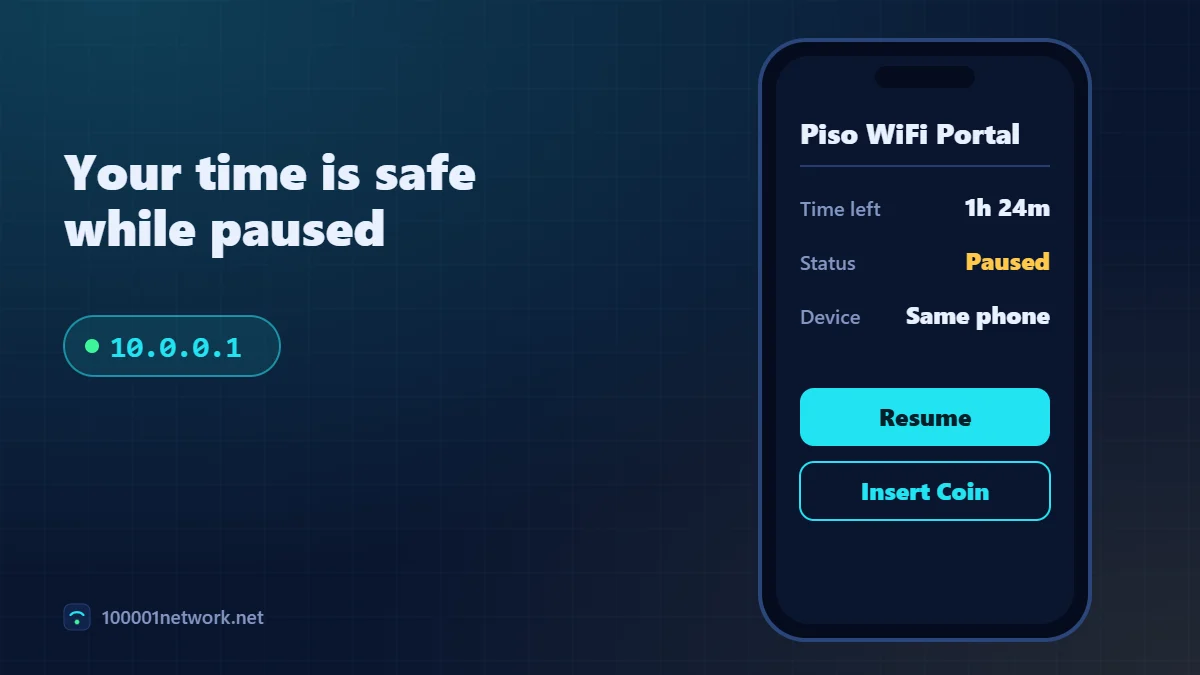
Quick answer: To use 10.0.0.1 piso wifi pause time, stay connected to the vendo Wi-Fi, open 10.0.0.1 in Chrome or Safari, and tap Pause. Your remaining minutes freeze until you tap Resume. Resume on the same phone, before the owner’s pause limit runs out, and your time comes back.
10.0.0.1 Piso WiFi pause time is the feature that freezes the minutes you already paid for, so you can step away and use them later. It does not slow your connection, and it is not the owner switching off the internet. This guide shows how to pause and resume, why paused time sometimes vanishes, and how vendo owners set the rules.
What Piso WiFi Pause Time Really Does
When you insert coins, the vendo gives your phone a block of minutes and starts counting down. Piso WiFi pause time stops that countdown. While you are paused, the vendo remembers how much time you had left and cuts your internet so the clock does not run. When you press Resume, the countdown picks up exactly where it stopped.
The vendo knows which time belongs to you by looking at your device, mainly its MAC address (a hardware ID your phone shows to the Wi-Fi network) and, on some systems, its IP address. That detail matters a lot. It is the reason you must resume on the same phone, and the reason some phones lose their saved minutes.
Pause Time vs Lag vs a Network Block
Some articles describe pause time as network delay, and others as the owner blocking everyone for an hour. Neither is right. Here is the simple difference.
| What people call it | What it really is | Saves your paid minutes? |
|---|---|---|
| Piso WiFi pause time | You freeze your own countdown from the portal | Yes, until it expires |
| Latency or ping | The delay before data reaches you, often called lag | No |
| Owner blocks the network | The owner limits or cuts internet for users | No |
| Turning off Wi-Fi | Your phone simply leaves the network | Usually not, the clock keeps running |
10.0.0.1 Piso WiFi Pause Time: How to Pause in 5 Steps
Using 10.0.0.1 piso wifi pause time takes less than a minute. Do it before you walk out of the vendo’s range, because the portal only opens while you are still connected to its Wi-Fi. The labels below are the common ones; your vendo may use slightly different words.
- Stay on the vendo Wi-Fi. Make sure your phone is on the Piso WiFi network, not mobile data.
- Open the portal. Open Chrome or Safari, type
10.0.0.1in the address bar and go. - Check your status. The page should show your time left and a status such as Connected.
- Tap Pause. Some portals say Pause Time or Pause Session. Confirm if the page asks.
- Wait for “Paused”. Do not close the page until the status changes and the timer stops.
Now you can turn off Wi-Fi or leave the area. Your remaining minutes stay saved on the vendo, not on your phone, which is why the same phone matters when you return.
How to Use Piso WiFi Pause in Chrome on Android
Most Android users first see the portal as an automatic pop-up that says something like “Sign in to Wi-Fi network”. That window is a small built-in login screen, not a full browser. On many phones it shows the coin page but hides or breaks other buttons, and it may close by itself once the internet works. That is the usual reason the pop-up has no Pause button.
The fix is to skip the pop-up and use Chrome directly. This is what people mean when they search for chrome piso wifi pause time: the same portal, opened in a proper browser. This kind of login page is called a captive portal, and phones treat it differently from normal websites.
- Close the pop-up, but stay connected to the vendo Wi-Fi.
- Turn off mobile data so Chrome uses the Wi-Fi connection.
- Open Chrome and tap the address bar at the top, not the search box on the home page.
- Type
10.0.0.1and go. If Chrome shows search results instead, typehttp://10.0.0.1. - Tap Pause and wait for the status to change to Paused.
If Chrome still will not load the page, check two settings. A VPN app can send your traffic away from the vendo, and Android’s Private DNS option can get in the way of portal pages on some networks. Turn off the VPN and set Private DNS to Automatic or Off while you use the portal, then switch them back later. Our 1.0.0.0.1 login guide has more fixes for a portal that will not open.
iPhone users can do the same. The iPhone pop-up is also a mini browser, so if it lacks the button, close it. If it offers Use Without Internet, choose it to stay connected, then type the address in Safari.
Do You Need a Piso WiFi Pause Time App?
No. There is no app you need to download to pause your time. The pause feature lives on the vendo itself, and any browser on your phone can reach it. Searching for a piso wifi pause time app usually leads to random APK files and videos that promise to pause, freeze or add free minutes.
Skip the “pause hack” apps. APK files from unknown sites can carry malware that steals passwords, e-wallet details or photos. Apps that claim to freeze time or add minutes without paying either do not work or try to cheat the owner, which is a form of theft. Use the Pause button on the portal and nothing else.
Typed 10001 or 1.0.0.0.1 Instead?
Many people reach this topic by searching 10001 piso wifi pause time or 1.0.0.0.1 piso wifi pause. Both are typing slips. A local address needs exactly four numbers with three dots between them, so 10001 (no dots) and 1.0.0.0.1 (five numbers) only trigger a web search. Type 10.0.0.1 instead. Our 10.0.0.1 login help page explains every common typo in one table.
How to Resume Your Time (and the Same-Device Rule)
The other half of piso wifi pause time is coming back. It is just as quick, but one rule decides whether your minutes return: resume on the same phone that paused them. Follow these steps when you are back within range.
- Reconnect the same phone to the same vendo Wi-Fi network.
- Open
10.0.0.1in your browser. The portal should show your saved time and a Paused status. - Tap Resume. Some portals say Continue or Start instead.
- Wait a few seconds for the status to change back to Connected, then open any website to test.
Why the same phone? The vendo matches paused time to the device that paused it, usually by MAC address and sometimes by IP address. A different phone, even your own second phone, looks like a brand-new customer with zero minutes. The same goes for a laptop or tablet. On most setups, paused minutes cannot be moved to another device from the customer page.
Also remember that piso wifi pause time has limits. Most owners cap how long a pause can last, and some cap how many times you can pause. Come back after that limit and the time may be gone, so ask the owner first.
Why Paused Time Disappears (6 Common Causes)
Losing minutes you paid for is frustrating, and it is the most common complaint about piso wifi pause. In almost every case there is a clear cause. Find yours in the table below, then read the notes under it.
| Cause | What happened | What you can do |
|---|---|---|
| Pause expired | You stayed away past the time limit | Return sooner; ask for the limit |
| Max pauses reached | Only a set number of pauses allowed | Use your remaining time |
| Private or random MAC | Phone showed a new hardware ID | Turn off the private address |
| Different device | You resumed on another phone or laptop | Resume on the phone that paused |
| Vendo reboot or power loss | A restart or brownout cleared sessions | Tell the owner what was left |
| Pause disabled or changed | The owner changed the rules | Ask the owner |
The MAC address issue catches the most people because it happens silently. Modern iPhones and Android phones can show a random hardware ID to each Wi-Fi network for privacy. On some settings, that ID can also change after you forget the network or after some time. The vendo then no longer recognises you, and your minutes stay attached to an ID your phone stopped using.
Power problems are the other big one. Whether paused sessions survive a restart depends on the vendo software, its version and the owner’s setup. Some machines restore saved sessions; others lose them after a sudden power cut. If the vendo went dark during your piso wifi pause, tell the owner roughly how many minutes were left.
How to Turn Off Private Wi-Fi Address and Randomized MAC
The safest way to protect your piso wifi pause time is to make your phone use one fixed hardware ID on the vendo network. You only need to change this for that one Wi-Fi network, not for every network. Menu names vary by phone brand and software version, so treat these as general steps.
On iPhone: Private Wi-Fi Address
- Open Settings and tap Wi-Fi.
- Tap the info (i) icon next to the vendo network name.
- Find Private Wi-Fi Address. On newer iOS versions it may be a menu with Off, Fixed and Rotating options.
- Turn it off, or choose Fixed so the address stays the same on this network.
- Rejoin the network if asked, then open the portal again.
On Android: Randomized MAC
- Open Settings, then Wi-Fi. It may sit under Network and internet or Connections.
- Tap the gear or arrow next to the vendo network.
- Look for Privacy or MAC address type. Some phones hide it under Advanced or View more.
- Choose Use device MAC or Phone MAC instead of Use randomized MAC.
- Reconnect to the network if your phone asks.
Timing matters: change this setting before you insert coins, not while your time is paused. Switching it mid-pause gives the vendo a new ID, which can strand your minutes on the old one. If you already paused with a random address, resume and use up that time first, then change the setting for your next visit.
A fixed address makes your phone a little easier to recognise on that one network, which is why phones randomize by default. For a vendo you use often, that trade-off is usually fine, and you can switch privacy back on later.
Owner Guide: Setting 10.0.0.1 Piso WiFi Pause Time Rules
If you run the machine, pause settings live in the admin panel, usually at 10.0.0.1/admin. Our 10.0.0.1 admin login guide covers signing in. Each platform limits piso wifi pause time in its own way, and menus move between versions, so treat the paths below as commonly reported starting points.
| Platform | Where pause is usually set | What you limit |
|---|---|---|
| LPB Piso WiFi | Portal settings (reported: Insert Coin Mode, Pause/Resume Time) | Maximum pause length |
| AdoPiSoft | Session settings; exact menu varies by version | Number of pauses (one guide: 99 = unlimited, 0 = off) |
| Wifi5 Soft | Voucher settings (pause limit field) | Pauses per voucher (unconfirmed) |
On LPB, pause is generally duration-based: you decide how long a customer may stay paused before the session ends. Reported defaults differ between sources, so check the value on your own unit. Our LPB Piso WiFi guide walks through the rest of the panel, and the official LPB site lists pause and resume among its features.
On AdoPiSoft, the setting is usually a pause count rather than a time. One third-party guide reports that 99 means unlimited pauses and 0 turns pause off, but confirm this on your version before relying on it. The menu path also differs, with some builds showing it under session settings and others under user portal settings.
On Wifi5 Soft, third-party guides show a pause limit field when you create vouchers. This is not confirmed by official documentation, so open your own dashboard and look for it while generating vouchers. Our Wifi5 Soft guide covers the wider setup.
Choosing Fair Pause Limits
There is no single right setting. Generous limits keep customers happy and coming back, while tight limits stop people from holding minutes for days. Think about who actually uses your vendo, then balance these points.
- Keep pause on. Customers expect piso wifi pause, and a missing button causes complaints.
- Set an expiry. A maximum pause length stops old sessions piling up. Around 24 hours is a common suggestion.
- Cap the pause count if needed. A few pauses per session covers meals and errands.
- Post your rules. A small sign with the limit prevents most arguments about lost time.
- Protect the power. A small UPS lowers the risk of wiping sessions mid-pause.
For coin slots, rates and the money side of running a machine, our Piso WiFi vendo business guide goes deeper.
Piso WiFi Pause Troubleshooting
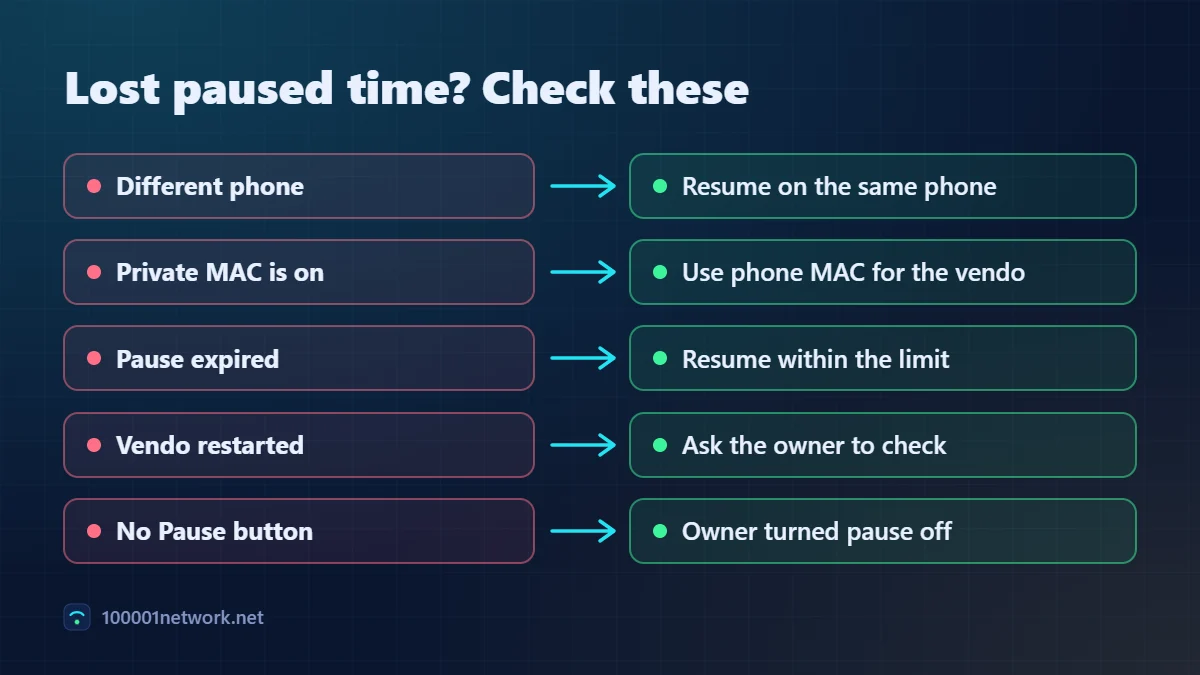
Use this table when a piso wifi pause does not behave as expected. Most problems come down to the wrong network, the pop-up window or a changed device ID.
| Symptom | Likely cause | Fix |
|---|---|---|
| No Pause button | Pop-up window, or pause turned off | Open 10.0.0.1 in Chrome; ask the owner |
| Pause does nothing | Page did not finish loading | Refresh and wait for Paused status |
| “Limit reached” message | All allowed pauses used | Use your remaining time |
| Time shows zero on return | Pause expired or new MAC address | Check MAC setting; tell the owner |
| Portal will not load | Mobile data, VPN or wrong network | Turn off data and VPN; rejoin the vendo Wi-Fi |
| No internet after Resume | Session still refreshing | Wait, toggle Wi-Fi, reopen the portal |
| Timer runs after pausing | Pause did not register | Reopen the portal and pause again |
If none of these help, talk to the owner. Note the time you paused, the minutes left and your phone model. Owners can see active sessions in the admin panel and can often sort things out quickly.
For help with other parts of the customer screen, such as coins not being credited or the portal not popping up, see our 10.0.0.1 Piso WiFi customer guide.
Paano mag-pause ng oras?
- Buksan ang
10.0.0.1sa Chrome, tapos pindutin ang Pause. - Mag-resume gamit ang parehong cellphone, bago mag-expire ang pause.
- I-off ang Private Wi-Fi Address o Randomized MAC para sa Wi-Fi ng vendo bago maghulog ng barya.
- Walang Pause button? Baka naka-off ito ng may-ari, kaya magtanong sa kanya.
- Huwag mag-download ng app na nangangakong magdadagdag ng libreng oras.
FAQs about 10.0.0.1 Piso WiFi Pause Time
Is there a time limit on 10.0.0.1 Piso WiFi pause time?
Usually, yes. The vendo owner decides how long a pause can last, and on some systems how many times you can pause. The limit differs from shop to shop and between software versions, so ask the owner or look for a posted sign near the machine before you leave.
Can I resume my paused time on a different phone?
Generally, no. The vendo links your piso wifi pause time to the device that paused it, mainly through its MAC address. Another phone, tablet or laptop looks like a new customer. Resume on the original phone, and keep its Wi-Fi privacy setting unchanged until the paused minutes are used up.
Why is there no Pause button on the portal?
Either the owner turned pause off, or you are looking at the automatic sign-in pop-up, which sometimes hides buttons. Close the pop-up, open Chrome or Safari, and type 10.0.0.1 in the address bar. If the 10.0.0.1 piso wifi pause button is still missing, the feature is not enabled on that vendo.
Does turning off Wi-Fi pause my time automatically?
On most vendos, no. Disconnecting usually leaves your countdown running, so your minutes keep draining while you are away. Piso wifi pause time only starts when you tap Pause on the portal and see the Paused status. Do that before you switch off Wi-Fi or walk out of range.
Is piso wifi pause the same as lag or a slow connection?
No. Pause is a customer feature that freezes your paid minutes. Lag, also called latency or high ping, is a delay in your connection and has nothing to do with saving time. Pause is also not the owner blocking the network for everyone.
Is there an official piso wifi pause time app?
No app is needed. The Pause button sits on the vendo’s own web page, which any phone browser can open. Be careful with APK files that claim to pause, freeze or add free minutes. They can contain malware, and using them to cheat a vendo is unfair to the owner.
What happens if the vendo loses power while my time is paused?
It depends on the software and how the owner set it up. Some vendos restore saved sessions after a restart, while others lose them. Try to resume first. If your piso wifi pause time is gone, tell the owner when you paused and how many minutes were left.
Final Word
10.0.0.1 piso wifi pause time is simple once you know the rules: pause from a real browser, resume on the same phone, and come back before the limit runs out. Set your phone’s MAC option before you pay, and lost minutes become rare.