Quick answer: Customers open 10.0.0.1 to reach the Piso WiFi portal. Owners open 10.0.0.1/admin to reach the 10.0.0.1 admin login. The most widely reported LPB default is admin / 123456789. For a home router or modem at 10.0.0.1, check the sticker on the device first, because many newer units have their own unique password. Only log in to devices you own or manage, and change the default right away.
10.0.0.1 admin login is how you reach the settings page of a device that uses 10.0.0.1 as its address. In the Philippines that is usually a Piso WiFi vendo, but some routers and modems use it too. This guide shows where the login page is, which defaults are commonly reported, how sure we are about each, and how to lock things down.
Customer Portal vs Owner Panel: Know Which Page You Need
One address can lead to two very different pages. When a customer joins the vendo Wi-Fi, the phone opens the customer portal at 10.0.0.1. That is where people insert coins, check their time and pause. The owner panel sits one step deeper at 10.0.0.1/admin, behind a username and password. Customers never need it, and they should never be given the login.
| Address | Who it is for | What you see |
|---|---|---|
| 10.0.0.1 (vendo) | Customers | Insert Coin, remaining time, Pause, voucher box |
| 10.0.0.1/admin (vendo) | Owner or trusted staff | Login form, then rates, vouchers, sales and settings |
| 10.0.0.1 (router) | Router owner | Router login or first-time setup page |
Both addresses belong to a private network range. They only work while your phone or laptop is connected to that vendo or router, never from mobile data. If you only want to buy time, our 10.0.0.1 Piso WiFi customer guide walks through the portal step by step.
How to Open the 10.0.0.1 Admin Login Page
You can reach the panel over Wi-Fi or with a network cable. Wi-Fi is easier on a phone. A cable is more reliable when the Wi-Fi is acting up or the unit is new.
Log in over Wi-Fi
- Turn off mobile data so your phone does not skip the local network.
- Join the vendo or router Wi-Fi from your Wi-Fi settings.
- If a “Sign in to network” pop-up opens, that is the customer portal. Leave it and open your normal browser.
- Tap the address bar at the top of Chrome, Safari or any browser. Do not use a search box.
- Type
10.0.0.1/adminfor a Piso WiFi vendo, or10.0.0.1for a router, then press Go. - Enter the username and password, then tap Login.
Log in with a LAN cable
- Plug one end of a network cable into your laptop and the other into a free LAN port on the vendo’s access point or router. Do not use the WAN or Internet port. Ask your installer if you are unsure.
- Turn off the laptop’s Wi-Fi so it uses the cable only.
- Wait a few seconds for the laptop to get an address.
- Open a browser and type
10.0.0.1/adminfor a vendo or10.0.0.1for a router. - Sign in with your admin details.
Tip: Type the address exactly, with no spaces and no https:// in front. Many vendo panels use plain http. A private or incognito tab helps when an old saved password keeps filling in.
Typed 1.0.0.0.1/admin? Here Is Why It Fails
A very common search is 1.0.0.0.1/admin. It looks close, but it has five numbers instead of four, so it is not a real address. Your browser treats it as a search or shows an error, and you never reach the vendo. The fix is simple: remove the extra digit and type 10.0.0.1/admin while you are connected.
The same goes for a few other mix-ups people make when typing fast on a small keyboard:
- admin/10.0.0.1 puts the parts in the wrong order. The address always comes first.
- 10.0.0.0.1 has an extra zero block. A real address has four blocks only.
- 10.0.0.l or 10.0.0.i uses a letter instead of the number one.
- 10.0 0.1 has a space where a dot should be.
If you keep landing on a search results page, you typed into the search box. Tap the bar at the very top of the browser and type the address there. Our 1.0.0.0.1 login guide explains more typo variants.
10.0.0.1 Admin Password: Reported Defaults by System
There is no single 10.0.0.1 admin password. The right login depends on which software runs your vendo, or which company made your router. Below are two separate tables, one for Piso WiFi systems and one for routers and modems. Each row has a “how sure” note, because some defaults are backed by many sources and others come from just one guide.
Table A: Piso WiFi vendo systems
| System | Admin address | Reported default | How sure |
|---|---|---|---|
| LPB Piso WiFi | 10.0.0.1/admin | admin / 123456789 | High: many setup guides agree |
| AdoPiSoft (older builds) | 10.0.0.1/admin | admin / admin | Medium: widely reported for older installs |
| AdoPiSoft (newer builds) | 10.0.0.1/admin | administrator / admin1234 | Low: one source only, varies by build |
| Wifi5 Soft | 10.0.0.1/admin | Account sign-in made at setup | Unverified: third-party guides only |
| JuanFi | Ask your installer | Set by the operator | Unverified: no public default |
The official LPB website does not publish a default password, but admin / 123456789 appears in many independent setup guides, including one for LPB OS version 15.5. AdoPiSoft defaults seem to have changed over time: admin / admin on older installs, and administrator / admin1234 reported by one guide for newer builds. Treat that newer pair as a maybe.
Wifi5 Soft is reported to work differently: the owner creates an account during setup and signs in with it. We could not confirm this with official material, so check with your seller. JuanFi logins are set by the installer, and since JuanFi is described as MikroTik-based, its admin side may not be at 10.0.0.1/admin at all. Our Wifi5 Soft owner guide covers that sign-in in more detail.
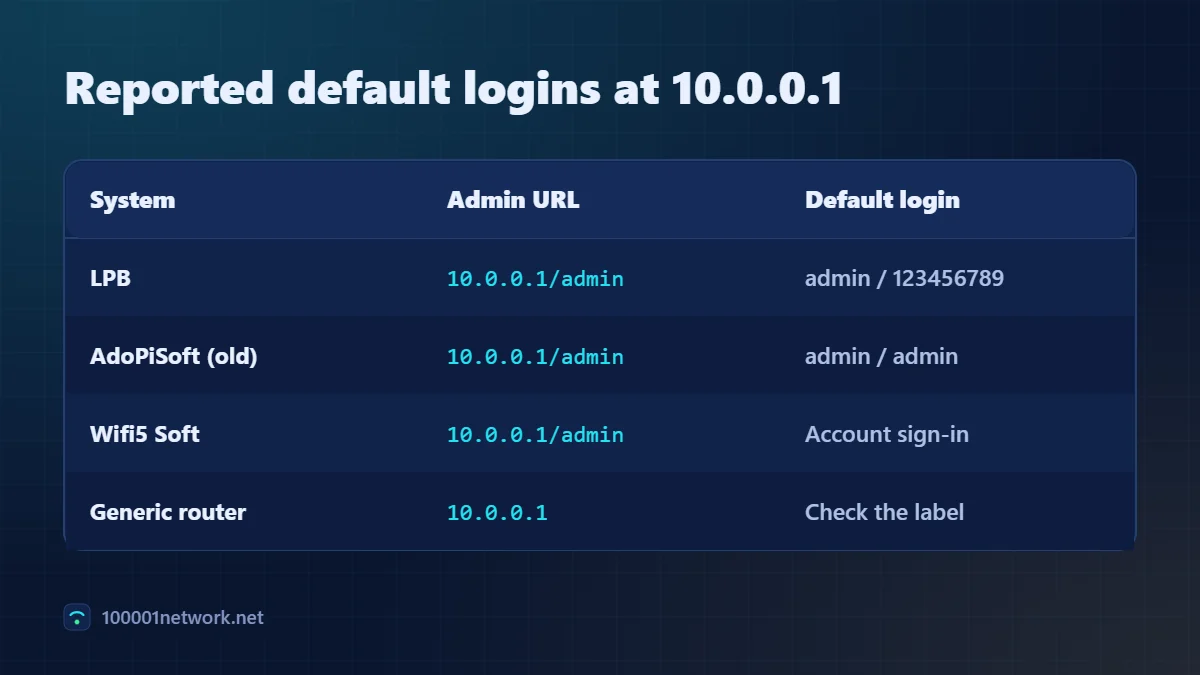
Table B: Routers and modems at 10.0.0.1
Some routers, especially certain cable gateways, also use 10.0.0.1. Their defaults vary by brand and provider. Start with the sticker on the device, and use this table only as a last check.
| Device or case | Reported default | How sure |
|---|---|---|
| Generic routers | admin / password | Common pair on older units |
| Generic routers | admin / admin | Common on older routers, incl. some older TP-Link models |
| Xfinity gateways (US) | cusadmin / highspeed | Reported; admin / password is also reported |
| Newer routers and modems | Unique password on the label | Very common: trust the label |
| Brand-new setups | None: you create one at first login | Common on recent models |
Many newer routers no longer ship with a shared password like admin / admin. Each unit has its own password on a label, or the setup screen makes you create one at first login. If your modem came from your internet provider, they may manage it remotely, so call them before trying random passwords.
Use these defaults responsibly. Only log in to a vendo, router or modem that you own or are allowed to manage. Guessing the password of someone else’s Piso WiFi is not a shortcut to free internet. It is unauthorised access, which can be a crime under the Philippines’ Cybercrime Prevention Act. If you are the owner, these public defaults are exactly why you should change yours today.
Where to Find Your Real Admin Password
The password that actually works is often not the factory default. Check these places in order before you try anything drastic:
- The device label. Look under or behind the router, access point or vendo box for a sticker with a password or admin key.
- The manual or box. Setup sheets often list the admin address and first-time login.
- Your installer or seller. Many vendos are sold ready to run, and the installer may have set a new password.
- The owner. If you are staff or family helping with the vendo, ask the owner. Do not guess.
- Your internet provider. For a provider’s modem, their support line can confirm or reset your access.
Why the Default 10.0.0.1 Admin Password Is Not Working
A rejected password is frustrating, but the cause is usually simple. Run through these checks before you reach for the reset button:
- Someone changed it. Installers often set a new password before handover. That is good practice.
- Wrong page. The customer portal at 10.0.0.1 has no owner login. Add /admin for a vendo.
- Wrong device. Your phone may be on the modem’s Wi-Fi instead of the vendo, or the other way around.
- Different software or version. An AdoPiSoft default will not work on LPB, and newer builds may differ from older ones.
- Typing slips. Autocorrect, a capital letter or a trailing space can break a correct password.
- An old saved password. Clear it or use a private tab.
- A temporary lockout. Some systems block logins after several wrong tries. Wait, then try once, carefully.
- Account-based sign-in. Systems like Wifi5 Soft are reported to need the account from setup, not a default pair.
Forgot the Password? How a Factory Reset Works
If nobody knows the current password, a factory reset is the last resort. It returns the device to its original settings so the default login works again. Before you do it, understand what you will lose:
- The admin password you or your installer set
- The Wi-Fi name and Wi-Fi password
- Coin rates and pause settings
- Vouchers that were not used yet
- Any other custom settings you made
- Write down your rates, Wi-Fi name and other settings, if you can still see them.
- Find the small reset hole or button on the router or access point. Some vendo boards have none.
- With the device on, press and hold the button with a pin. Hold time varies by model, so check your manual. About 10 seconds works on many units.
- Release it and wait a few minutes for a full restart.
- Log in with the default details from the label or the tables above, then set a new password right away.
Many vendos run on a small computer board with a memory card. Resetting the router part does not always reset the vendo software. A full reset may mean reinstalling the software image and activating your licence again, so ask your seller or installer first.
What You Can Manage in the 10.0.0.1 Admin Panel
Once you are in, the owner panel is your control room. Menu names differ between LPB, AdoPiSoft and Wifi5 Soft, and between versions, but most systems offer the same core tools:
| Feature | What it does | Example or note |
|---|---|---|
| Rates | Sets how much time each coin buys | Example only, set by the owner: ₱1 = 5 minutes |
| Vouchers | Creates codes customers type instead of inserting coins | Handy for regulars or prepaid sales |
| Pause settings | Lets customers pause and resume their time | Some systems limit pause count or length |
| Speed limit | Caps speed per user or for everyone | Stops one heavy user slowing the rest |
| MAC ban | Blocks one device by its hardware ID | Useful for abusive users |
| Sales report | Shows coins collected by day, week or month | Compare it with the coin box |
| Licence | Shows licence status and expiry, or takes a new key | An expired licence may limit features |
LPB also lists e-wallet payments such as GCash and Maya, sub-vendos and remote monitoring among its features, depending on version and licence. If pause time is what your customers ask about most, our Piso WiFi pause time guide explains how it works on both sides. For LPB menus and licences, see the LPB Piso WiFi setup guide.
A router panel at 10.0.0.1 looks different. You will usually find the Wi-Fi name and password, connected devices, parental controls, firmware updates and the admin password itself.
Security Checklist After You Log In
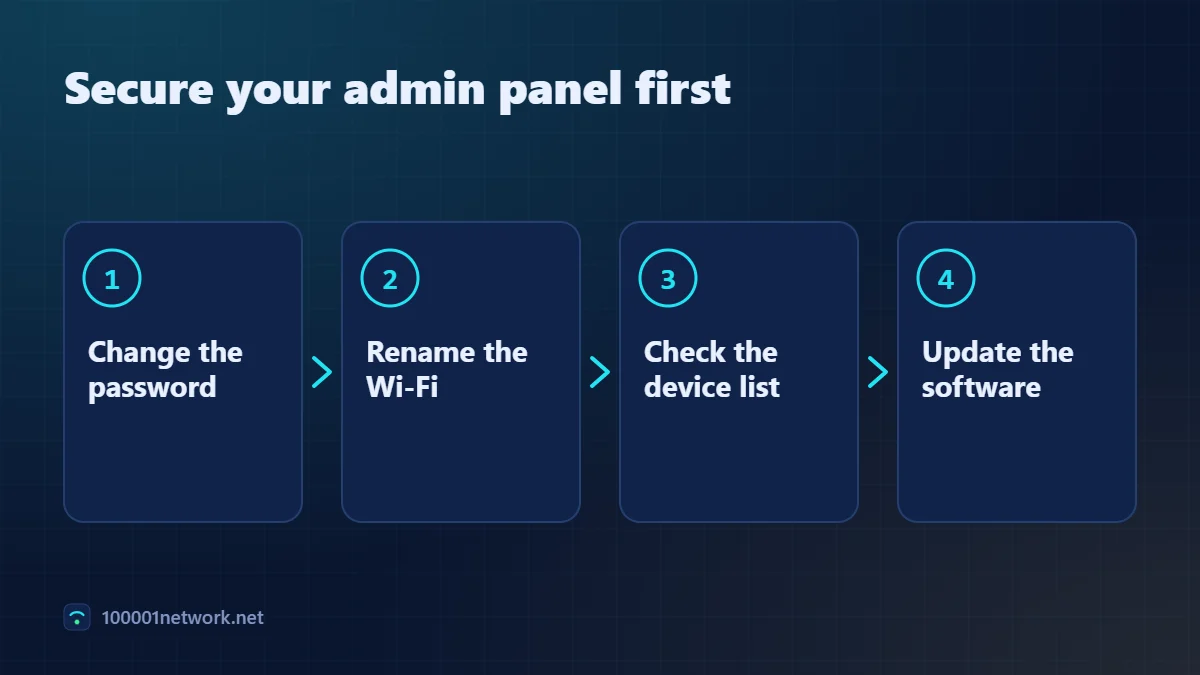
The first login is the best moment to fix security, because default passwords are posted all over the internet. Work through this list before you close the browser:
- Change the admin password to a long, unique one of at least 12 characters.
- Change the admin username from “admin” if your system allows it.
- On private networks, change the Wi-Fi password and use WPA2 or WPA3. A public vendo network stays open on purpose.
- Update the router firmware or vendo software from a trusted source, such as your seller or the official site.
- Turn off remote management features you do not use.
- Review the device list and ban anything you do not recognise.
- Save the new login in a password manager or a safe written note.
- Log out when you finish, especially on a shared phone.
- Keep the vendo box locked so nobody can reach the reset button or memory card.
Never share the admin login with customers. If a staff member leaves, change the password the same day. A leaked login lets someone add free time, change your rates or read your sales, so treat it like the key to your coin box. Our Piso WiFi vendo business guide has more tips for running the machine safely.
Troubleshooting the 10.0.0.1 Admin Login
Use this table to match what you see with the likely cause. Most problems come from being on the wrong network or typing the address in the wrong place.
| Symptom | Likely cause | Fix |
|---|---|---|
| “This site can’t be reached” | Mobile data on, wrong Wi-Fi or a VPN running | Turn off data and VPN, then rejoin the vendo Wi-Fi |
| Search results appear instead | Typed in a search box, or used 1.0.0.0.1/admin | Type 10.0.0.1/admin in the address bar |
| Customer portal opens, no login form | /admin missing from the address | Add /admin to the end |
| Page loads forever | Private DNS or old browser cache | Turn off Private DNS, try a private tab or another browser |
| “Wrong password” every time | Password was changed, or wrong system’s default | Check the label, then ask the installer |
| Login blocked for a while | Too many wrong tries | Wait, then try once carefully |
| Panel works, customers have no internet | The upstream modem or provider is down | Restart the modem, then call your provider |
| Nothing loads at 10.0.0.1 | Device uses a different address | Check the gateway in your Wi-Fi details |
To find the right gateway, tap the connected network in your Wi-Fi settings and look for “Gateway” or “Router”. On Windows, run ipconfig and read the Default Gateway line. If it is not 10.0.0.1, use that address instead. Our 10.0.0.1 login help page covers more devices.
Mabilis na gabay (Taglish):
- Customer ka? Buksan ang
10.0.0.1para mag-insert ng coins at mag-pause. - Owner ka? I-type ang
10.0.0.1/adminsa address bar, hindi sa search. - Hindi gagana ang 1.0.0.0.1/admin kasi sobra ang isang numero.
- Palitan agad ang default password pagka-login mo.
- Nakalimutan ang password? Tanungin muna ang installer bago mag-reset.
FAQs about 10.0.0.1 Admin Login
What is the default 10.0.0.1 admin password?
It depends on the system. LPB Piso WiFi is widely reported to use admin / 123456789 at 10.0.0.1/admin, and older AdoPiSoft builds commonly use admin / admin. Routers often print a unique password on the label. If none of these work, the owner or installer probably changed it, which is normal and safer.
What is the difference between 10.0.0.1 and 10.0.0.1/admin?
On a Piso WiFi vendo, the plain address opens the customer portal, where people insert coins, check time and pause. Adding /admin opens the owner login, where rates, vouchers, sales and settings are managed. Customers only ever need the first one.
Why do 1.0.0.0.1/admin and admin/10.0.0.1 not open?
Neither is a valid address. A normal network address has four numbers separated by dots, then the slash and the page name. The first has five numbers, and the second is in the wrong order. Type 10.0.0.1/admin instead while connected to the vendo Wi-Fi.
Can I open 10.0.0.1/admin using mobile data?
No. The address is private, so it only works inside the vendo or router network. Turn off mobile data, connect to the device’s Wi-Fi or plug in a cable, then open the page. Cloud managers, where a system offers one, use a separate website and account.
How do I reset a forgotten 10.0.0.1 admin password?
First ask your installer or seller, since they may have the current login or a safer reset method. A factory reset restores the default, but it also erases your rates, vouchers and Wi-Fi name. On board-based vendos, a full reset may mean reinstalling the software.
Can customers see or use the admin page?
Anyone on the vendo Wi-Fi can reach the login form, but they cannot get in without the password. That is why leaving the default in place is risky. Change it on day one, and never write it on the vendo box or share it with customers.
Is it legal to log in to a vendo I do not own?
Not without permission. Getting into someone else’s system without consent is unauthorised access and can be a crime. Only use these steps on a vendo, router or modem you own or are allowed to manage. If you think a vendo is broken, tell the owner instead.
Final word
The 10.0.0.1 admin panel is easy to reach once you know the right address and the right device. Use the reported defaults only to get in the first time, then change them right away and keep the new login somewhere safe.